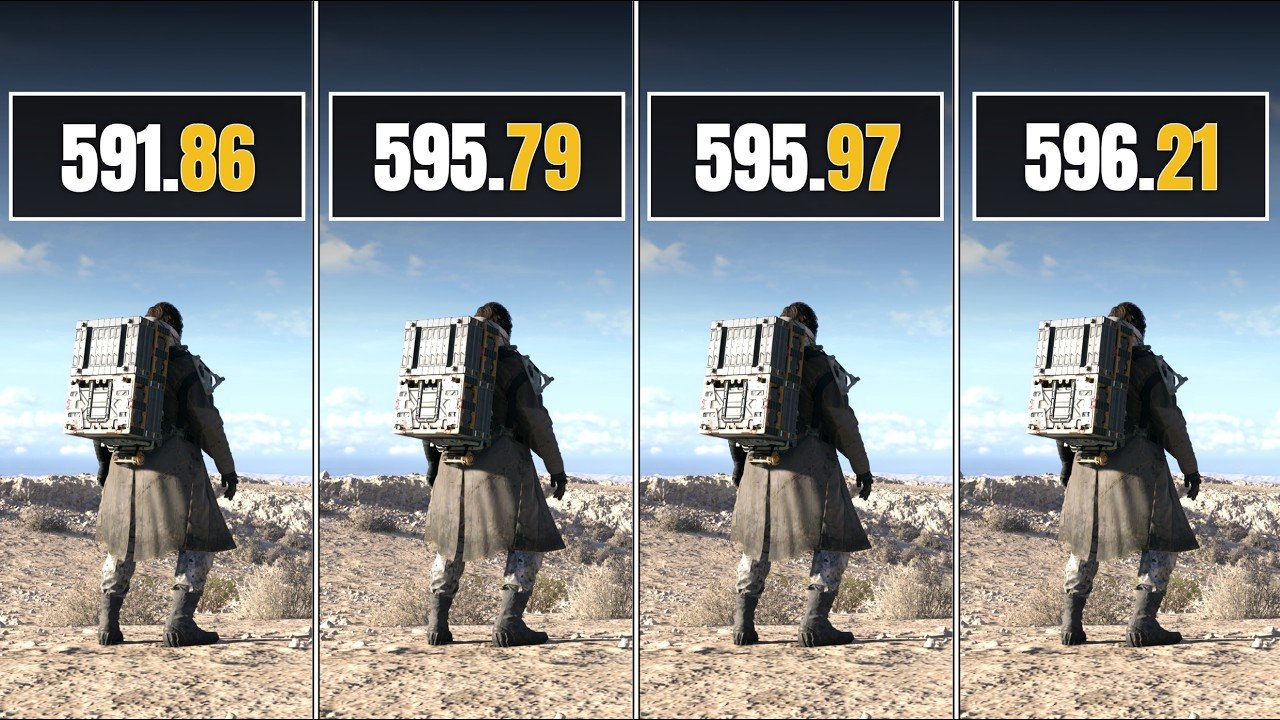
In this article, we take a closer look at how different NVIDIA driver versions perform in real gaming scenarios with DLSS 4.5 enabled. We test drivers 596.21, 595.97, 595.79, and 591.86 on the RTX 2060 6GB to see how each one affects performance and stability. Alongside that, we also compare NVIDIA Driver 596.21 and 595.97 on the RTX 5060 Ti 16GB to understand the performance differences between these two versions. The purpose is to show how driver updates can impact gaming performance in practical use, and help users choose the most suitable driver for their GPU. Along with the benchmark results, we also go through the key details of each NVIDIA driver included in this comparison, giving you a clear and practical idea of what actually changes from one version to another.
In This Article
Toggle丨NVIDIA Driver 596.21
The NVIDIA GeForce Game Ready Driver 596.21 WHQL is a recent graphics driver released on April 16, 2026, designed for Windows 10 64 bit and Windows 11 systems. It is part of NVIDIA’s ongoing Game Ready driver program, which focuses on delivering optimized performance, stability, and day one support for newly released PC games through close collaboration with developers and extensive testing across a wide range of hardware configurations.
This driver’s primary highlight is its optimization for modern titles that utilize advanced AI driven rendering technologies, particularly support for DLSS 4.5, which is a newer iteration of NVIDIA’s Deep Learning Super Sampling technology. With this release, the driver ensures the best possible gaming experience for titles such as Pragmata, NTE (Neverness to Everness), and Windrose, all of which rely on DLSS based enhancements for improved image quality and performance.
In terms of bug fixes, version 596.21 introduces a targeted gaming fix addressing stuttering issues in Arknights: Endfield, improving overall gameplay smoothness in that title. Apart from this specific fix, NVIDIA has not listed any additional general bug fixes in the official release notes, which indicates that this update is more focused on game readiness and feature support rather than broad system level changes.
From a hardware compatibility perspective, the driver supports a wide range of NVIDIA GPUs, including the latest GeForce RTX 50 series, RTX 40 series, RTX 30 series, RTX 20 series, GTX 16 series, and select TITAN GPUs. This ensures that both current generation and several previous generation graphics cards can benefit from the update, although newer features like DLSS 4.5 are optimized primarily for modern architectures with dedicated AI processing capabilities.
丨NVIDIA Driver 591.86
NVIDIA GeForce Game Ready Driver 591.86 is a WHQL-certified graphics driver released on January 27, 2026, designed for Windows 10 and Windows 11 64-bit systems. This driver belongs to NVIDIA’s Game Ready lineup, meaning it is specifically optimized to deliver the best possible performance, stability, and compatibility for newly released games at launch. It was developed in collaboration with game developers and tested across a wide range of hardware configurations to ensure reliable performance for both gaming and general GPU-accelerated workloads.
The 591.86 driver primarily introduces Game Ready support for newer titles such as ARC Raiders: Headwind Update and Arknights: Endfield, with a strong focus on enabling and improving support for DLSS 4 technology, including DLSS Super Resolution in supported games. This reflects NVIDIA’s ongoing push toward AI-driven rendering techniques, especially for modern RTX GPUs. In addition, the driver includes compatibility across a broad range of graphics cards, from older GeForce GTX 16 series GPUs up to the latest RTX 50 series, ensuring wide hardware support for users on different generations.
In terms of fixes, version 591.86 resolves several gaming and system-level issues. Notably, it addresses graphical artifacts in Total War: Three Kingdoms when Screen Space Reflections are enabled, along with general fixes such as color banding issues in SDR content when Windows Automatic Color Management is active, and a startup freeze issue affecting certain ASUS G14 laptop configurations. These fixes aim to improve visual quality and system stability across both gaming and everyday use scenarios.
丨NVIDIA Driver 595.97
The NVIDIA Driver 595.97 is part of NVIDIA’s Release 595 series and is available for both GeForce Game Ready and RTX Enterprise Production Branch driver lines. It was officially released on March 24, 2026 and is a WHQL certified driver designed for Windows 10 64 bit and Windows 11 systems, with support also extending to professional RTX and data center GPU configurations depending on the driver branch.
In terms of purpose, this driver update is focused on improving overall gaming stability and performance for GeForce users, especially in modern titles that rely heavily on DLSS, ray tracing, path tracing, and NVIDIA Reflex technologies. It is part of NVIDIA’s ongoing Game Ready driver program, meaning it is tuned to optimize new game releases while also maintaining compatibility across a wide range of existing games.
The update also includes several bug fixes. Reported fixes in the 595.97 branch address issues such as texture corruption in certain games like Halo Infinite, stability problems in Hitman World of Assassination when specific NVIDIA features are enabled, and general stability improvements related to DLSS Frame Generation and Instant Replay combinations. These fixes aim to reduce crashes and graphical inconsistencies reported in earlier 595 series drivers.
On the professional side, the same driver version is also used in NVIDIA RTX Enterprise and Data Center releases, where it is designed for long term stability, certification, and compatibility with workstation and server GPUs. This makes 595.97 not only a gaming driver but also part of NVIDIA’s production-grade driver ecosystem used in professional and AI workloads.
丨NVIDIA Driver 595.79
NVIDIA Driver 595.79 is a WHQL certified release from NVIDIA’s R595 driver branch, released in March 12,2026 for both GeForce Game Ready and NVIDIA Studio channels. It is designed as a production level update that focuses on stability, game optimization, and compatibility improvements for newer titles and creative workloads. According to NVIDIA’s official release information, this driver is part of a long term supported branch aimed at providing consistent performance and regular security and stability updates for supported GPUs across Windows 10 and Windows 11 systems.
In terms of gaming support, Driver 595.79 is primarily optimized for newer AAA titles such as Crimson Desert and Death Stranding 2: On the Beach. It includes Game Ready optimizations and DLSS 4 related improvements intended to enhance performance and visual quality in supported games. The driver also integrates fixes from previous hotfix builds in the R595 series, ensuring better day one stability for newly released and upcoming games.
From a compatibility perspective, Driver 595.79 supports a wide range of GeForce RTX GPUs, spanning RTX 20 series through RTX 50 series, along with select GTX 16 series models and workstation oriented NVIDIA TITAN GPUs. It is also aligned with NVIDIA Studio Driver enhancements, improving reliability in creative applications such as 3D rendering, video editing, and AI assisted content tools.
More Benchmarks
- RX 6600 2026 Review, 26 Games Tested, Still Worth Buying?
- RTX 5060 Ti 16GB vs RX 9060 XT 16GB, 14 Latest Games Tested
- 8 GPUs – PRAGMATA: RTX 5060, 5060 Ti, 5070 Ti, 2060, RX 9060 XT
- Samson Performance on RTX 2060 at 1080p – Native, DLSS, FSR 3
- RTX 5060 vs 3070 vs RX 6700 XT – Raw Performance Comparison
- 12 GPUs – Crimson Desert: RX 9060 XT, 6600, GTX 1660s, RTX 5070 Ti, 5070
- Crimson Desert RTX 2060 Tested at 1080p – Optimized Settings & FPS Analysis
- Resident Evil Requiem: Testing 6 GPUs – RTX 5060, 3070, 5060 Ti, RX 9060 XT
- Resident Evil Requiem: Tested 5 GPUs – GTX 1050 Ti, 1660s, RTX 2060, RX 6600
- Resident Evil Requiem tested on RTX 2060, DLSS 4 and Texture VRAM Testing
- RTX 5080 vs RTX 4090 Ultimate Comparison (1080p, 1440p, 2160p)
NVIDIA Driver 596.21 vs 591.86 vs 595.97 vs 595.79 Performance Comparison
NVIDIA’s latest GeForce Driver 596.21 was tested in a direct comparison with older versions 591.86, 595.79, and 595.97, using an RTX 20 series GPU with DLSS 4.5 set to Performance Mode. The testing was done across several new and popular games from 2026, with the same graphics settings used each time to keep the comparison fair and accurate. In real world use, the performance across all drivers stays very close, with only small differences that are barely noticeable during gameplay. Overall, there are no major performance improvements or drops with the newest driver, which suggests that NVIDIA is mainly focusing on stability and consistency rather than big performance changes in this update.
丨NVIDIA 596.21 Driver Feedback
Feedback from users regarding NVIDIA’s 596.21 driver branch. Some users have reported issues such as:
- Stuttering and inconsistent FPS in certain games
- Slight FPS drops compared to older stable drivers
- Display/color saturation problems after updating
- General instability depending on system configuration
On the other hand, in my own testing with an RTX 20 series GPU, the experience was stable overall. I did not face any crashes, unusual GPU behavior, or noticeable stuttering. Performance stayed consistent during gameplay, and everything felt smooth and reliable in day to day use. If you are unsure which NVIDIA driver to install, this video can help you make a decision based on real world testing rather than just reading patch notes.
丨Testing System
The test system is built around a Gigabyte B550 AORUS Master motherboard paired with an AMD Ryzen 5 5600 processor, operating at 4.4GHz. It is configured with 32GB of DDR4 memory, arranged as a 4×8GB kit running at 3600MHz, ensuring stable multitasking and gaming performance. The graphics workload is handled by an MSI Ventus GeForce RTX 2060 6GB GDDR6 GPU, while storage performance is supported by an XPG GAMMIX S70 Blade 1TB NVMe Gen4 M.2 SSD for fast load times and responsive system behavior. Power delivery is managed by a Deepcool PQ850 850W 80 Plus Gold power supply, providing efficient and reliable energy for the entire setup under both gaming and synthetic workloads.
|
Component
|
Model / Specification
|
Check Prices
|
|
|---|---|---|---|
|
CPU
|
AMD Ryzen 5 5600 @ 4.4GHz
|
||
|
Motherboard
|
Gigabyte B550 AORUS Master
|
||
|
RAM
|
32GB (4×8GB) DDR4 3600MHz
|
||
|
Power Supply
|
Deepcool PQ850 – 850W 80+ Gold
|
||
|
Storage
|
XPG GAMMIX S70 Blade – 1TB NVMe Gen4 M.2
|
||
|
Graphics Card
|
MSI Ventus RTX 2060 6GB GDDR6
|
||
|
Operating System
|
Windows 10 – Version 24H2
|
||
As an associates of newegg – we may earn a small commission if you purchase through this affiliate links (no extra cost to you). It helps support the GAMING BENCH.
Benchmark Performance Comparison
|
Game Name
|
GPU Model
|
NVIDIA 591.86
|
NVIDIA 595.79
|
NVIDIA 595.97
|
NVIDIA 596.21
|
|---|---|---|---|---|---|
|
ARC Raiders
|
RTX 2060 (6GB)
|
AVG FPS : 67
|
AVG FPS : 68
|
AVG FPS : 68
|
AVG FPS : 68
|
|
Crimson Desert
|
RTX 2060 (6GB)
|
AVG FPS : 46
|
AVG FPS : 46
|
AVG FPS : 46
|
AVG FPS : 46
|
|
Cyberpunk 2077
|
RTX 2060 (6GB)
|
AVG FPS : 76
|
AVG FPS : 77
|
AVG FPS : 75
|
AVG FPS : 77
|
|
Death Stranding 2
|
RTX 2060 (6GB)
|
AVG FPS : 70
|
AVG FPS : 70
|
AVG FPS : 68
|
AVG FPS : 70
|
|
Resident Evil Requiem
|
RTX 2060 (6GB)
|
AVG FPS : 75
|
AVG FPS : 72
|
AVG FPS : 75
|
AVG FPS : 73
|
NVIDIA Driver 596.21 vs 595.97 Performance Comparison
NVIDIA has released its latest GeForce driver 596.21, and in this article, we have compared it directly with the previous 595.97 driver to see if there’s any noticeable difference in real world gaming performance. I tested both drivers across five of the latest and most popular games of 2026 using the same settings to keep things fair and consistent. The results show a small improvement in some titles, with around a 1 FPS gain in certain situations. While the difference isn’t huge, it still shows that driver updates can bring slight improvements to overall performance and smoothness. This comparison can help gamers decide whether it’s worth updating to the latest driver or sticking with a stable version, since the impact can vary depending on the game, hardware, and system setup.
丨Testing System
The test system is configured with a high performance hardware setup to ensure consistent and reliable benchmark results. It features an ASRock X670E PG Lightning motherboard paired with an AMD Ryzen 7 9800X3D processor running at 5.2GHz. The system is equipped with 32GB of Corsair DDR5 memory, configured as a 2x16GB kit operating at 6200MHz. For graphics processing, a Zotac Gaming RTX 5060 Ti 16GB GDDR7 Twin Edge GPU is used, providing the necessary power for modern gaming workloads. Storage is handled by a 1TB XPG GAMMIX S70 Blade Gen4 M.2 SSD, ensuring fast load times and data access, while the entire system is supported by an XPG Core Reactor II 1200W power supply for stable and efficient power delivery.
|
Component
|
Model / Specification
|
Check Prices
|
|
|---|---|---|---|
|
CPU
|
AMD Ryzen 7 9800x3D @ 5.2GHz
|
||
|
Motherboard
|
Asrock x670E PG Lightning
|
||
|
RAM
|
Corsair (2x16GB) 6200MHz DDR5
|
||
|
Power Supply
|
XPG Core Reactor ii 1200W
|
||
|
M.2 SSD
|
XPG 1TB GAMMIX S70 Blade Gen4
|
||
|
Graphics Card
|
Zotac Gaming RTX 5060 Ti 16GB Twin Edge
|
||
|
Operating System
|
Windows 11 - Version 25H2
|
||
As an associates of newegg – we may earn a small commission if you purchase through this affiliate links (no extra cost to you). It helps support the GAMING BENCH.
Benchmark Performance Comparison
|
Game Name
|
GPU Model
|
NVIDIA 595.97
|
NVIDIA 596.21
|
|---|---|---|---|
|
Resident Evil Requiem
|
RTX 5060 Ti (16GB)
|
AVG FPS : 80
|
AVG FPS : 81
|
|
Space Marine 2
|
RTX 5060 Ti (16GB)
|
AVG FPS : 118
|
AVG FPS : 119
|
|
Cyberpunk 2077
|
RTX 5060 Ti (16GB)
|
AVG FPS : 75
|
AVG FPS : 75
|
|
Crimson Desert
|
RTX 5060 Ti (16GB)
|
AVG FPS : 54
|
AVG FPS : 54
|
|
Pragmata
|
RTX 5060 Ti (16GB)
|
AVG FPS : 118
|
AVG FPS : 117
|
Overview
In the first study, the comparison between multiple driver versions, 591.86, 595.79, 595.97, and 596.21, highlights how incremental driver updates influence performance stability and DLSS 4.5 optimization on an older architecture like the RTX 2060. The results generally indicate that newer drivers tend to improve frame pacing, enhance DLSS efficiency, and deliver more consistent performance in modern titles, particularly in graphically demanding scenes where upscaling plays a major role.
The second article shifts focus to a more powerful GPU, the RTX 5060 Ti 16GB, where the performance differences between 595.97 and 596.21 are evaluated. Here, the impact of driver optimization is more refined rather than transformative, with DLSS 4.5 contributing to smoother output and slightly improved average performance in supported games. The higher VRAM capacity also helps maintain stability in newer titles, reducing performance dips under heavy workloads.
Overall, both tests suggest that NVIDIA’s 596.21 driver offers a more polished and optimized experience compared to earlier versions. While raw performance gains vary depending on the GPU generation, the consistent improvement lies in better DLSS 4.5 integration, improved stability, and more efficient handling of modern rendering workloads across both mid-range and older RTX hardware.

Video Creator
I’m Shoaib Ahmed, Founder of GAMING BENCH. I test games and run detailed benchmarks across various hardware setups, sharing the results on my YouTube channel Since 2019 with real time gameplay.

Author
i’m Afaq Butt author of GAMING BENCH Website. I transforms our youtube benchmarks into clear, structured articles, making the insights easily accessible. Our goal is to provide gamers with reliable, data-driven information to help them make informed decisions and optimize their gaming experience.